Advanced Backtesting Options
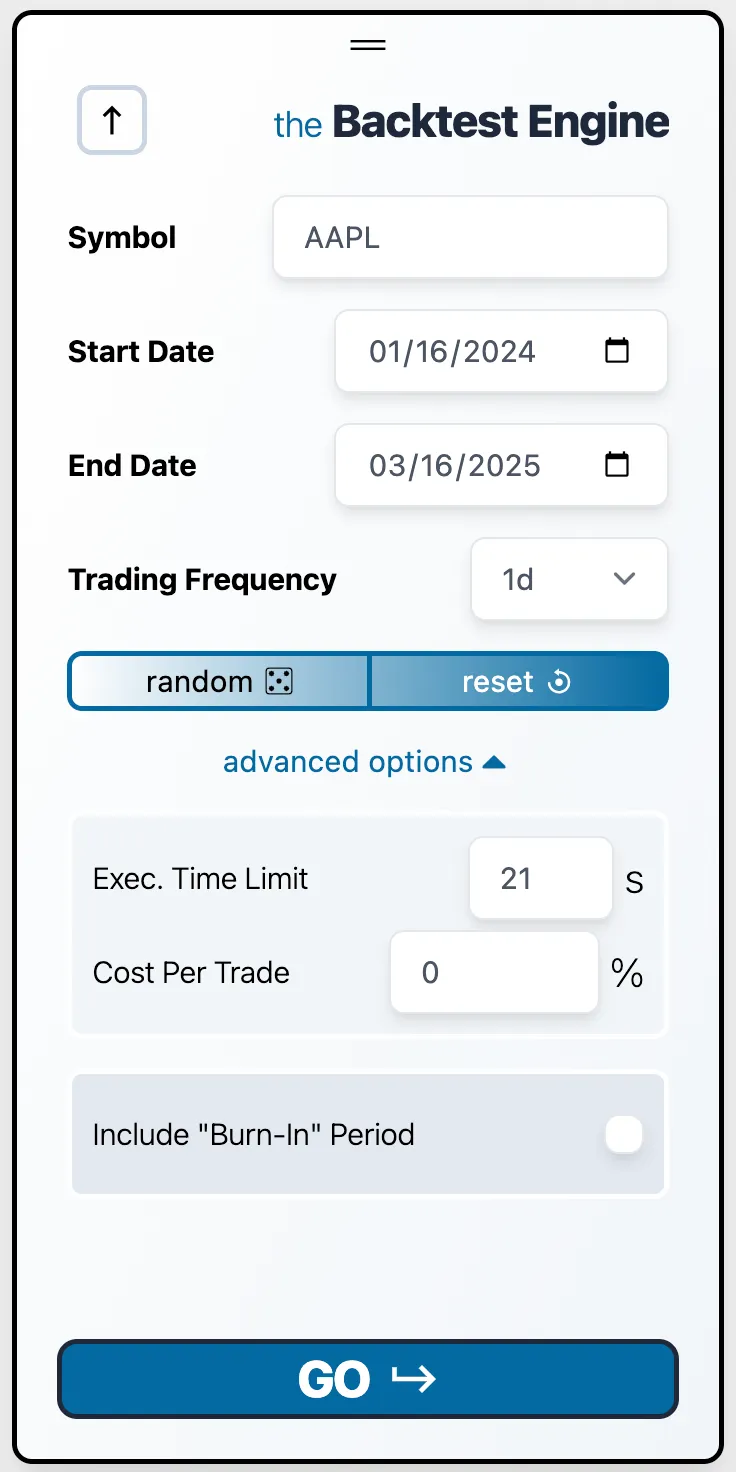
Click the advanced options dropdown to reveal 3 additional customization options.
1. Execution Time Limit
As the name suggests, this parameter sets the maximum execution time before a process is forcibly stopped. It helps prevent infinite loops but will definitely need to be increased for complex machine learning or regression strategies.
2. Cost Per Trade
This option defines the cost per trade, applied on both buys and sells. The cost is calculated as a percentage of the trade value. While it may seem insignificant, for high-frequency strategies, trading costs can significantly impact overall performance.
3. Burn-in Period
For strategies relying on historical data (e.g., using a 50-day moving average), you can define a burn-in period, allowing the strategy to “warm up” before the first trade. This ensures the strategy has enough data to generate signals from the start.
Example:
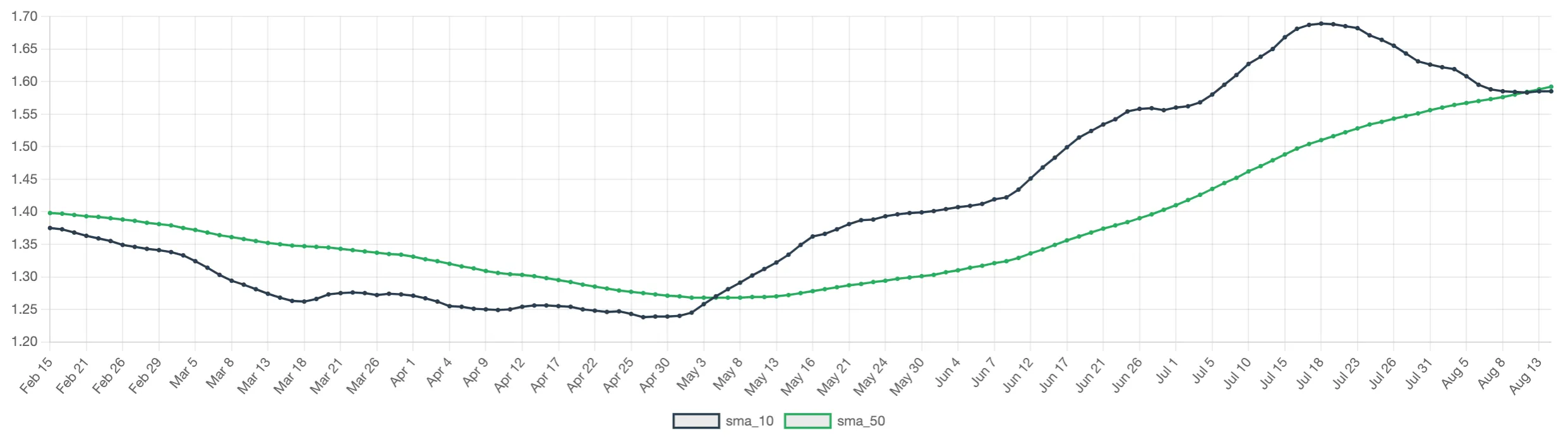
If your strategy uses a 50-day moving average, set the burn-in period to at least 50 business days before your selected start date. This gives the strategy time to develop valid signals before the first trading day. Without using a burn-in period, your moving average may look like this:Add a ~50 day burn-in period, and you can see we’ve eliminated the 50-day initialization period: