
Backtesting Options
Mandatory Options
To run a backtest, you must specify 4 mandatory options:
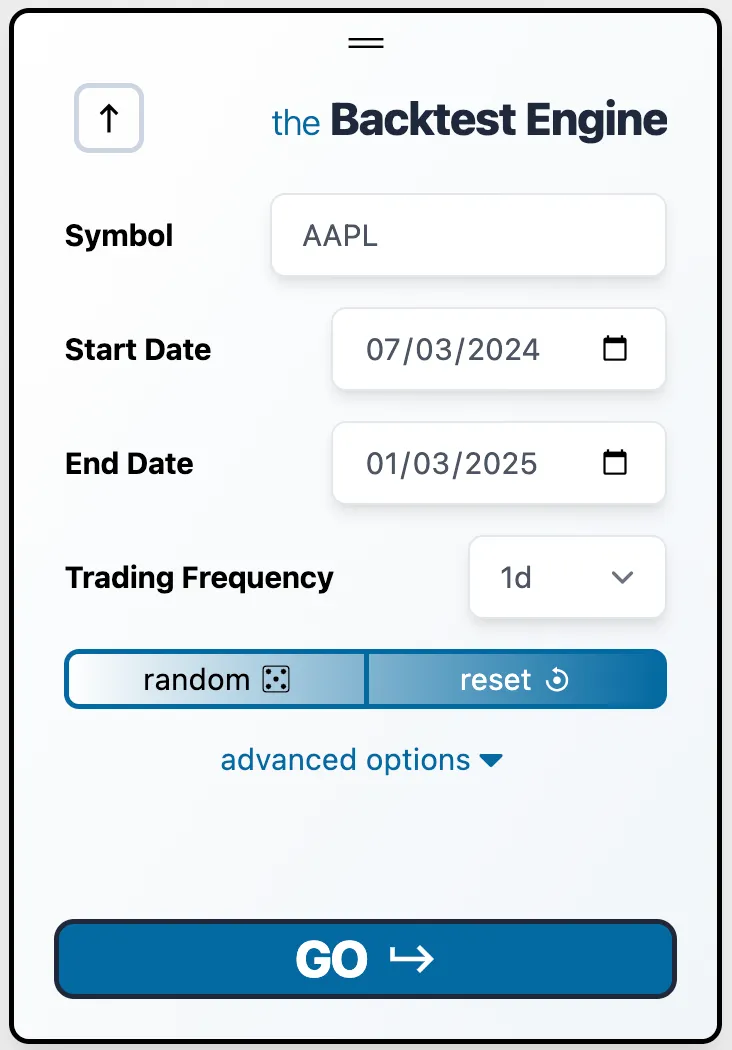
1. Symbol
Choose the stock you want to backtest. We support the ~10,000 most popular stocks.
2. Start Date
Select the date/time for the backtest to begin. Your first data point will be after this date, not on it (i.e., the start date is exclusive).
3. End Date
Choose when you’d like to stop the backtest, exit all positions, and view the results.
4. Trading Frequency
Set how often you want to execute trades, within market hours.
Random Button
If you want a random S&P 500 stock and a random start/end date ranging from 1 month to 2 years apart, click this button.
Reset Button
Press the reset button to return to the default backtest settings:
- Symbol: AAPL
- Start Date: 12 months ago
- End Date: 6 months ago
- Trading Frequency: 1 day
Have Fun.
Run your strategies and watch the results/metrics pour in!