
Your Results
Happy With Your Result?
Congratulations on running a successful backtest!
Don’t forget to name and save your result for future use. It will appear on your results page:
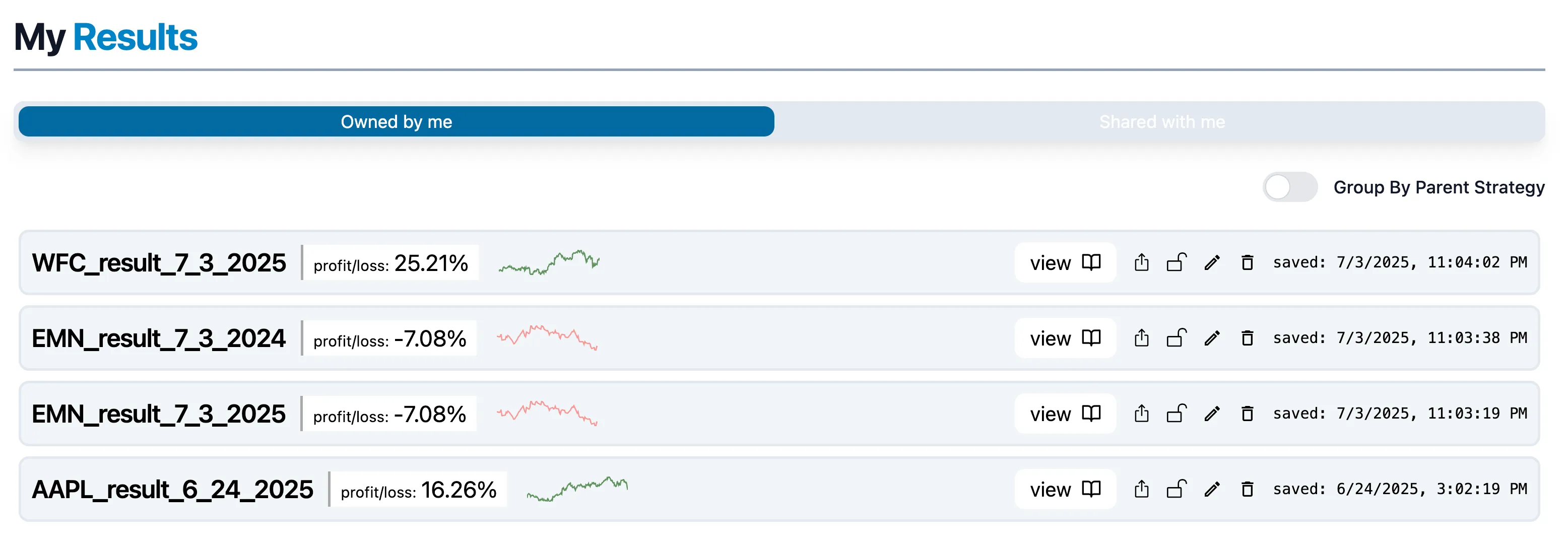
What Can I Do with a Saved Result?
1. View & Analyze
If you have multiple results (at least two) from the same strategy, select the Group by Parent Strategy option. This lets you compare overall statistics across the strategy and visually see which date ranges have been tested. Aim for a well-balanced spread of date ranges when testing your strategy!
2. Share
You can share your strategy with other users if they have an account with us! Once shared, the recipient will receive an email notifying them, and your strategy will appear in their Shared with Me section on the results page. They’ll need to accept the strategy before being able to view it.
3. Lock/Unlock
Control whether your strategy appears on the global leaderboard. Don’t worry, even public strategies won’t expose your code or inner workings!
4. Rename
Rename your strategy. If you’ve shared it, the new name will reflect for all users.
5. Delete
You can delete your result at any time.